


TRICARE East
3.8550.00 Reviews
App Specs
- Version
- 3.2.4
- Updated On
- License
- Free
- Downloads
- 100,000+
- Developer
- Humana Government Business
- Categories
- Medical
- Platform
- Android
Screenshots
 Analysis by AppCompare
Managing health coverage is rarely something I want to do for fun, but it becomes much easier when the information I need is arranged for a phone rather than buried in a browser. I spent time with TRICARE East, the free medical app from Humana Government Business, and found that its main value is practical: it gives beneficiaries in the East Region a dedicated mobile place to handle coverage-related tasks while away from a computer.
My review focuses especially on how clearly the app works for people using different devices, abilities, and everyday situations. That matters with a medical service because a confusing screen can turn a simple question into a stressful task. The app has a 3.8 average from around 1.8 thousand ratings and more than 100 thousand installs, so it has a meaningful user base, although that reception also suggests the experience is useful without being flawless.
How clearly the app presents information
The first thing I noticed is that TRICARE East feels purpose-built for beneficiaries rather than like a general health-information portal. That focus is helpful. Instead of starting with broad medical content, the app is centered on the TRICARE East relationship, which can make the journey more direct for someone who already knows they are in the East Region.
For me, the strongest accessibility benefit is the reduction in context switching. A phone app can be opened when I am preparing for an appointment, checking something while traveling, or trying to remember a coverage detail at a pharmacy. I do not have to begin with a search engine and sort through unrelated TRICARE pages. That does not make every task effortless, but it gives the app a clear job.
The current version is 3.2.4, and I would treat keeping it updated as part of using it reliably. Medical-service apps can depend on current account and service information, so an old installation is not the best basis for judging whether a task is available or behaving correctly. I also recommend opening the app before an urgent need arises, rather than waiting until I am standing at a reception desk.
Readable design is not only about large text. It is also about whether labels make sense, whether a person can tell what will happen after tapping an option, and whether important information is separated from secondary material. TRICARE East benefits from its narrow purpose, but anyone who finds insurance terminology difficult should slow down and read each screen instead of assuming that a familiar word has its everyday meaning.
A useful habit is to take note of the exact question I am trying to answer before opening the app. Am I checking coverage, looking for a document, preparing for a provider conversation, or trying to resolve an account issue? That small step prevents aimless tapping and makes the mobile format more manageable, particularly for users who tire quickly when navigating administrative screens.
Worth Reading Before You Choose

EA SPORTS FC Mobile 26 Is a Bigger Football Game, but It Takes Time

Flipboard Shows What News Apps Must Do Beyond the Feed

Switching to Android Auto Means Rethinking Your Driving Routine

Google Calendar Makes a Crowded Week Easier to Manage

Ludo King Makes the Most of the Minutes Between Plans

Baby Panda World Brings Quick Play to Modern Phones, but Its Game Library Feels Busy
Navigation that works best with preparation
I found the app easier to approach when I treated it as a task tool rather than as a place to browse. The most efficient workflow is to decide what outcome I need, sign in if required, and verify the resulting information before leaving the screen. This is especially important when a family member is helping, because the helper can focus on one concrete question instead of navigating on someone else’s behalf without direction.
That workflow also helps users with cognitive or attention-related difficulties. Writing down the question, keeping relevant account details nearby, and taking a screenshot or note of useful information can reduce the need to repeat the same navigation later. I would not rely on memory alone after finding an important coverage detail, particularly if I am comparing it with a provider’s instructions.
The app is more suitable for people who want a dedicated mobile route than for people who prefer a full desktop view with several windows open at once. On a phone, information is naturally more compact. Someone who needs to compare multiple documents or keep several references visible may find a computer browser more comfortable, even if the app is faster for a single lookup.
Motor, visual, and sensory considerations
Phone-based access can be a real advantage for users who cannot comfortably sit at a desk, but it also introduces its own demands. Small touch targets, scrolling, typing, and repeated sign-in actions can be tiring for people with limited dexterity, tremors, joint pain, or reduced hand strength. I would test the app during a calm moment and see whether ordinary taps and text entry feel manageable before depending on it for a time-sensitive task.
Voice control and operating-system magnification may help some users, but their effectiveness depends on the phone and its settings rather than on a promise from the app itself. I would enable the device features I already use, such as larger text or spoken feedback, then check whether the app remains understandable. Enlarging text can sometimes cause more scrolling, so there is a trade-off between comfortable reading and seeing enough information on one screen.
People with low vision may also benefit from using the phone’s contrast and display settings, but I would not assume that every screen will respond perfectly. A screen can be technically readable while still being tiring because of dense wording or frequent movement between pages. For that reason, I prefer completing one short task at a time and pausing before confirming anything important.
For users who are sensitive to motion, glare, or visual clutter, the physical environment matters as much as the app. A quiet room, reduced screen brightness, and a stable phone position can make administrative work less exhausting. If reading on a phone causes headaches, a larger device or the usual web alternative may be the better option for reviewing longer information.
Motor access also affects security. A person who struggles with precise tapping may accidentally select the wrong option or mistype account information. I recommend checking every character before submitting and avoiding rushed use in a moving vehicle or crowded waiting area. The app can make access more portable, but portability should not be confused with suitability in every physical setting.
When the phone is in the wrong place
Situational access is one of the app’s most convincing strengths. I can imagine opening it before leaving home to prepare for a medical appointment, checking a detail from a waiting room, or using it while a family member helps organize paperwork. Those moments are exactly where a dedicated mobile tool can feel more useful than searching through saved emails or trying to remember a website address.
Travel is another realistic example. If I am away from my usual desk and need to confirm a TRICARE East detail, the phone is already with me. That convenience can reduce stress, but I would still avoid making the app my only record. I keep essential appointment information and identification details available through more than one route because a phone can lose power, have a weak connection, or become unavailable.
Shared-device situations deserve care. A spouse, caregiver, or adult child may help a beneficiary navigate, but the account holder should remain involved in checking what information is displayed and what action is being taken. A larger screen can help a helper read and explain content, while the beneficiary retains control over decisions. This is a better arrangement than handing over the whole process without reviewing the result together.
People with limited data access or unreliable connectivity should plan ahead. I would not wait until the last minute to open a page or retrieve information needed for an appointment. The app is most useful when I have time to confirm that my phone, account access, and connection are working. If the task is urgent and the app is not cooperating, contacting the appropriate TRICARE support route or using the regular web experience is more sensible than repeatedly retrying.
Where the experience still creates friction
The biggest limitation is that a focused app cannot remove the underlying complexity of health coverage. Even a clean mobile screen cannot make every benefit rule, eligibility condition, or administrative term instantly understandable. Users who expect the app to act like a personal medical adviser may be disappointed; its role is administrative access, not diagnosis or emergency care.
I would also be cautious about using it as the only source during a disputed or high-consequence situation. If a provider, pharmacy, or office gives me information that differs from what I see, I would save the relevant details, note the time, and ask for clarification through an official support channel. A screenshot can help me explain the issue, but it should not replace confirmation when the decision affects treatment or payment.
Typing on a phone can be another barrier. People with limited dexterity, dyslexia, visual fatigue, or difficulty correcting mistakes may find account forms more demanding than expected. A stylus, dictation, or a helper can make the process easier, although dictated medical and administrative terms still need careful review before submission.
Some users will also prefer a browser because it feels more transparent. On a computer, I can see more surrounding context, use keyboard navigation, and keep a separate reference open. The app wins when I need portability and a focused task; the browser wins when I need comparison, extended reading, or assistance from someone sitting beside me.
The audience is also important. TRICARE East is specifically for beneficiaries in the East Region, so someone outside that service area should not install it expecting a general insurance manager. Likewise, a person looking for symptom checking, medication reminders, telehealth, or a broad personal health record should choose a tool designed around those functions instead. The app’s narrow focus is an advantage only when it matches the user’s actual need.
Practical ways to make access easier
Open the app before an appointment and identify the exact information you may need, rather than trying to learn the interface under pressure.
Use your phone’s text-size, contrast, magnification, voice-control, or spoken-feedback settings, then check the result on a few screens before beginning an important task.
Keep a backup route available, such as the regular web experience or an official support contact, especially when the information could affect a same-day decision.
If a caregiver helps, agree on the question first and review the final information together instead of treating the helper as the account owner.
For longer reading or side-by-side comparison, move to a larger screen rather than forcing the entire task onto a small phone display.
These steps do not add new functions to the app, but they make its existing mobile format more forgiving. They also acknowledge an important truth about accessibility: the best experience often comes from combining the app with device settings, a suitable environment, and a backup method.
My inclusive verdict
I see TRICARE East as a useful, specialized medical administration app for beneficiaries in the East Region who want a mobile-first way to manage their TRICARE relationship. It is free, rated for Everyone, and developed by Humana Government Business. Its scale, with over 100 thousand installs, shows that it serves a substantial audience, while the 3.8 average indicates that users should approach it as a practical aid rather than a perfect replacement for every other channel.
The app is at its best when the task is specific, mobile, and time-sensitive but not an emergency. Checking information before an appointment, preparing for a conversation with a provider, or organizing coverage questions are situations where I would recommend trying it. I especially like the possibility of reducing dependence on scattered paperwork and making access available while away from a desk.
I would hesitate to recommend it as the sole option for someone who needs extensive keyboard use, large-screen comparison, highly guided support, or services outside TRICARE East. Those users may be better served by the regular web route, a trusted helper, or direct official assistance. The same is true for anyone seeking clinical guidance rather than coverage administration.
My final view is positive but measured. TRICARE East does not solve every accessibility challenge, and a phone app cannot make health administration simple for everyone. Still, its dedicated regional purpose gives it a clear place in a beneficiary’s toolkit. If I were helping a friend decide, I would say: install it if you belong to the East Region and want convenient mobile access, test it before you urgently need it, adjust your device for comfortable reading and input, and keep another official route available when the app is not the right fit.
Pros
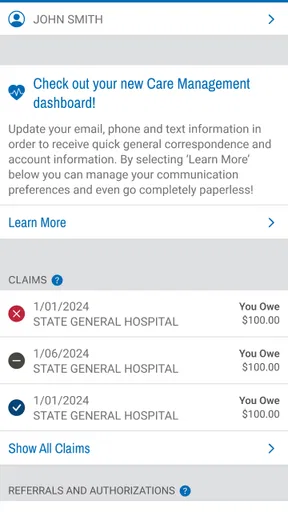
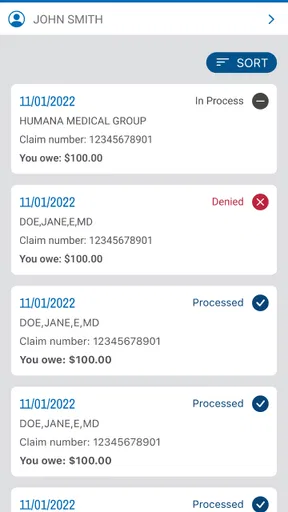
- Secure access to claims
- authorizations
- and benefit information
- Find in-network providers and nearby military pharmacies quickly
- Digital ID cards are convenient during appointments and pharmacy visits
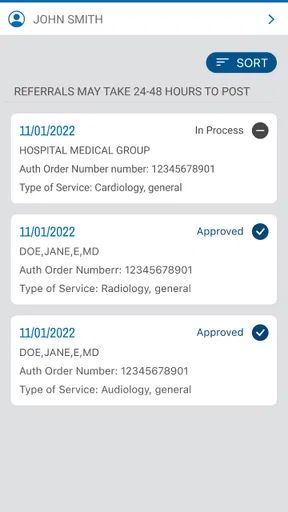
- Helpful tools for checking referrals and authorization status
- Official updates keep beneficiaries informed about plan changes
Cons
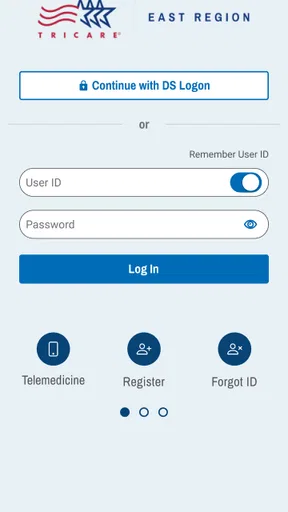
- Some features may require separate registration or identity verification
- Claim and authorization information can take time to update
- Navigation may feel confusing for first-time users
- Certain services redirect to external websites or portals
- Availability and features can vary by beneficiary eligibility
FAQs for TRICARE East
What is the TRICARE East app used for?
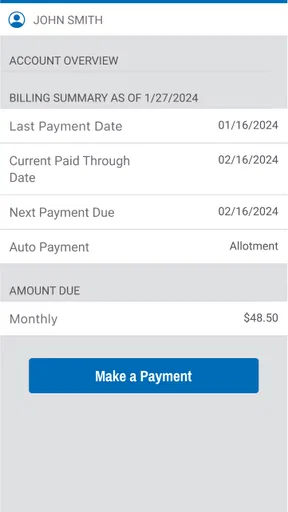
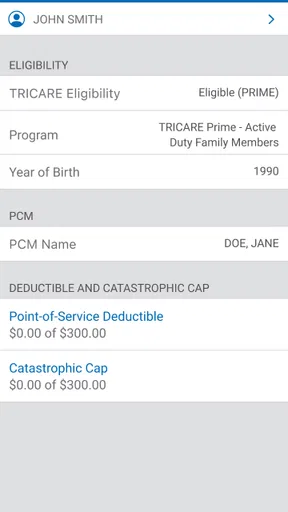
TRICARE East is designed to help eligible military members, retirees, and their families manage healthcare benefits through Humana Military, the TRICARE East contractor. Depending on your account and eligibility, you can use it to view coverage details, locate network providers, check claims, review authorizations, access digital ID information, and find important contact details without calling customer service for every request.
Who can use TRICARE East, and do I need an account?
The service is intended for beneficiaries in the TRICARE East Region, including active-duty service members, retirees, National Guard and Reserve members, and eligible family members. Access depends on your DEERS eligibility and plan enrollment. Many features require you to sign in or create an online account, and you may need personal identification information to verify your identity before viewing protected health or claims information.
Can I use TRICARE East to find doctors and check whether they are in-network?
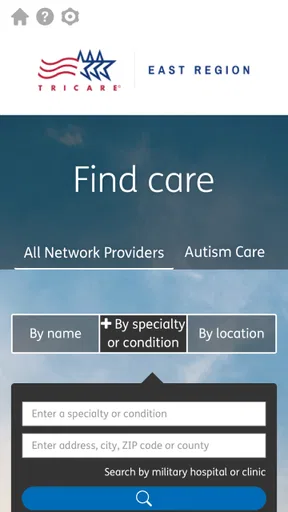
Yes, one of the most useful features is the provider directory, which can help you search for doctors, hospitals, pharmacies, and other healthcare facilities in the TRICARE East network. Before booking an appointment, review the provider’s current network status, specialty, location, and contact information. Directly confirming participation with the provider is also advisable because network details can change.
Can TRICARE East show claims, referrals, and authorization information?
TRICARE East generally provides access to important administrative information, including claim status, explanations of benefits, referrals, and prior-authorization details when they are available for your plan and account. The exact information shown may depend on processing times and the type of care received. If a claim or authorization appears incomplete, contacting Humana Military directly may be necessary.
Is TRICARE East free to download, and is it safe to use?
The official TRICARE East mobile access is typically available without a separate download charge, although standard mobile data charges may apply. Because the service handles sensitive healthcare and military-benefit information, download it only from an official app store or the Humana Military website. Use a strong password, enable available security features, and avoid signing in on shared or unsecured devices.


